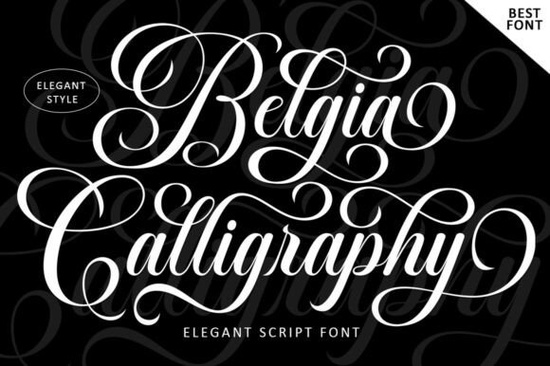
If you're looking for a script font that feels polished without being stiff, the Belgia Calligraphy Font is worth a close look. It blends classic calligraphy strokes with a modern, feminine sensibility the kind of typeface that makes wedding invitations feel special and product labels look high-end without much extra effort. Whether you're a designer working on branding projects or a small business owner creating packaging, this font covers a lot of ground.
What Makes This Script Font Stand Out?
Plenty of calligraphy fonts lean too far in one direction either overly ornate and hard to read, or so minimal they lose that hand-lettered charm. Belgia sits comfortably in the middle. Its letter connections flow naturally, keeping text legible even at smaller sizes. The character variations add visual interest without sacrificing clarity, which is especially important when you're designing something like a restaurant menu or a greeting card where people actually need to read the words.
The font carries a luxurious feel, but it doesn't try too hard. That balance makes it versatile. You could pair it with a clean sans-serif for a modern logo, or use it on its own for an elegant headline on a magazine cover.
Where Can You Use a Font Like Belgia?
This is one of those fonts that works across many project types. Here are some common uses where it really shines:
- Wedding and event invitations The elegant script style is a natural fit here.
- Restaurant menus and food labels Gives a refined, upscale look.
- Logo design and branding Especially for beauty, fashion, and lifestyle brands.
- Packaging and product labels Think cosmetics, candles, stationery.
- Print-on-demand products Mugs, tote bags, and apparel with script quotes.
- Editorial layouts Book covers, magazine headers, and chapter titles.
- Greeting cards and stationery Both for personal projects and selling online.
That said, it's not the right choice for every situation. If you need something playful for a children's project, a font like a hand-drawn scribble style would be a better fit. Belgia works best when the mood calls for elegance and sophistication.
How Easy Is It to Access Special Characters?
One practical detail that matters a lot for working designers: Belgia comes with PUA encoding. That means all the special characters, alternates, and decorative swashes are accessible through your operating system's character map no extra design software or plugins needed. If you've ever downloaded a font only to realize you can't reach half the glyphs without a specific program, you know how frustrating that can be. This font avoids that problem entirely.
This also makes it easier to use in platforms like Canva, Silhouette Studio, or Cricut Design Space, where accessing OpenType features can be limited.
Does It Pair Well With Other Fonts?
Script fonts rarely work well on their own for body text, so pairing matters. Belgia's clean connections and moderate flourish level mean it plays nicely with simple serif or sans-serif fonts. For a project that needs a more casual or coastal vibe alongside your script, something like a relaxed beach-style duo font could complement it nicely in a multi-font layout.
If you're building a brand identity or designing a wedding suite, try combining Belgia with a minimal sans-serif for headings and a light serif for body copy. The contrast keeps everything readable while letting the script do the heavy lifting on names, titles, and accent words.
Is This Font Right for Your Next Project?
If your work involves formal or elegant design invitations, fashion branding, cosmetics packaging, editorial layouts then yes, Belgia is a strong option. It's clean enough for professional use and decorative enough to feel intentional. The fact that it's easy to read sets it apart from many other calligraphy fonts that sacrifice legibility for style.
You can check out the full details and preview the character set by visiting Belgia Calligraphy on Creative Fabrica.
For designers who like working with elegant scripts, you might also want to explore other options like an Andalusia-style calligraphy font for a slightly different take on classic script lettering. Having a few script fonts in your toolkit gives you more flexibility depending on the project's mood and audience.
Quick Checklist Before You Buy
- Know your use case. Is the project formal, elegant, or upscale in tone? Belgia fits that mood well.
- Check readability. Preview the font at the size you'll actually use it.
- Confirm PUA encoding. Already included here no extra software needed.
- Plan your pairings. Pick a complementary sans-serif or serif before you start designing.
- Test it on your platform. Try a few characters in Canva, Illustrator, or your cutting software to make sure everything works smoothly.
Tip: When working with any calligraphy font, increase the letter spacing slightly for headings. It gives the letters room to breathe and makes the overall design feel more polished. Get Started
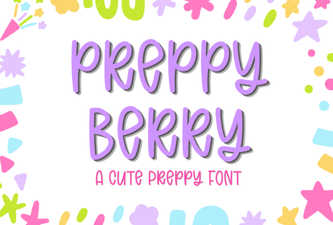 Preppy Berry Font: Chic Typography for Creative Projects
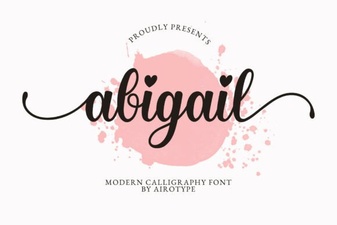 Abigail Font: Elegant Design for Creative Projects
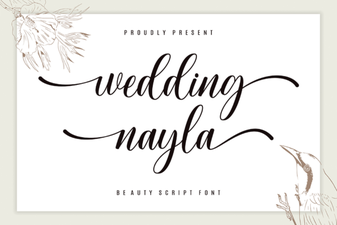 Beautiful Wedding Designs with Nayla Font
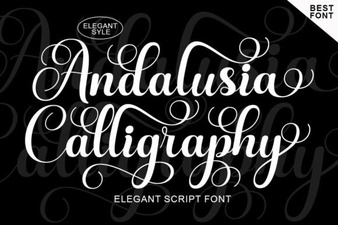 Andalusia Calligraphy Font – Elegant Script Font Download
 Bring Magic to Your Designs with Disney Fonts
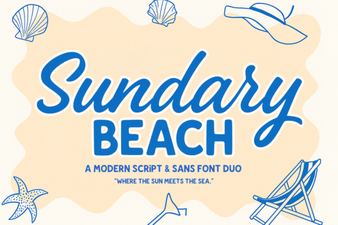 Sundary Beach Duo Font – Perfect for Summer Design Projects