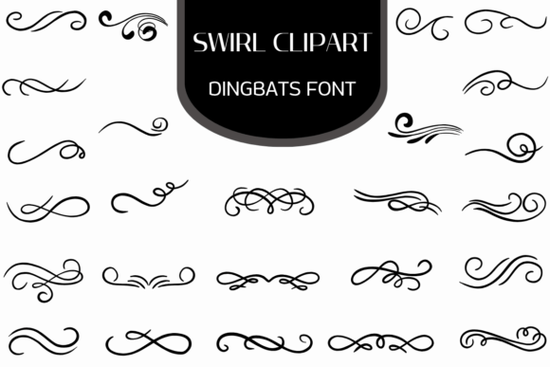
If you work with invitations, certificates, stationery, or any kind of printed or digital design, you've probably needed a decorative swirl or flourish at some point. The Swirl Clipart Font is a dingbats font made entirely of ornamental swirl elements not letters. You type a character, and a beautifully drawn flourish appears instead. It's a simple way to add borders, dividers, and corner accents without hunting for individual clipart files.
What Exactly Is a Dingbats Font, and How Does It Work?
A dingbats font replaces standard keyboard characters (letters, numbers, symbols) with graphic images. When you install the Swirl Clipart Dingbats Font, every key on your keyboard maps to a different swirl design. Press "A," and you might get an elegant curved flourish. Press "B," and you might get a symmetrical ornamental border piece.
Because it's a font not a collection of separate image files you can use it inside any program that supports fonts: Microsoft Word, Canva, Adobe Illustrator, Cricut Design Space, Silhouette Studio, and more. No importing, no resizing headaches. Just type and design.
Why Would I Use Swirl Clipart Instead of Regular Clipart Files?
This is a fair question, especially if you already have a folder full of decorative graphics. Here's what makes a dingbats font different:
- Scalability. Every glyph is a vector. You can make it poster-sized or thumbnail-sized, and the edges stay sharp.
- Speed. Instead of dragging and dropping an image file, you just type a character. Building a decorative border takes seconds.
- Consistency. All the swirls in this collection are drawn in a matching style, so your designs look cohesive without extra effort.
- File size. A single font file replaces dozens (or hundreds) of individual clipart PNGs.
For anyone running a print-on-demand shop or creating designs in bulk, this kind of efficiency adds up fast.
What Can I Actually Make With Swirl Clipart?
Practically anything that needs a decorative touch. Here are real-world examples people use this type of dingbats font for:
- Wedding invitations and save-the-dates frame the couple's names with matching flourishes
- Certificates and diplomas add ornate corner accents and section dividers
- Restaurant menus and event programs separate categories with elegant swirl lines
- Branding and logo accents add a classic touch to business cards or letterheads
- Scrapbooking and journal pages create decorative borders around photos or quotes
- Social media graphics use flourishes to frame text overlays on Instagram posts or Pinterest pins
- Sublimation and heat transfer projects pair swirls with monograms for mugs, tote bags, and t-shirts
You can also combine multiple swirl characters side by side to build longer ornamental borders and dividers that span the full width of a page.
Can I Change the Color and Size?
Yes. Since the swirls are generated as font characters, you treat them like any other text. Highlight the character, change the font color, increase or decrease the point size whatever your project needs. In design software like Illustrator or Affinity Designer, you can also convert the font to outlines and edit the vector paths directly if you want to customize the shape.
This flexibility is useful for Cricut and Silhouette users who need to adjust cut lines or match specific brand colors.
Who Is This Font Best For?
The Swirl Clipart Dingbats Font is a practical resource for:
- Graphic designers who need quick decorative elements for client work
- Small business owners creating their own menus, flyers, or packaging
- Crafters working with cutting machines or sublimation printers
- Print-on-demand sellers building design assets for products like mugs, shirts, and posters
- Teachers and event planners making certificates, programs, and classroom materials
If you regularly add ornamental details to your projects, having a dedicated swirl dingbats font on hand saves you from reusing the same tired clipart over and over.
Quick Checklist Before You Buy
- Check the license. Make sure the font license covers your intended use especially for commercial products like POD items.
- Review all glyphs. Look at the full character map so you know exactly which swirl designs are included.
- Test in your software. Install the font and type out a few characters in the program you use most to confirm everything works smoothly.
- Pair it wisely. Combine the swirls with a clean serif or script typeface for a balanced, professional look.
Next step: Visit Creative Fabrica to preview the full character set of the swirl clipart font and see which designs fit your current project best.
Try It Free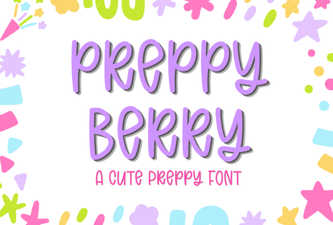 Preppy Berry Font: Chic Typography for Creative Projects
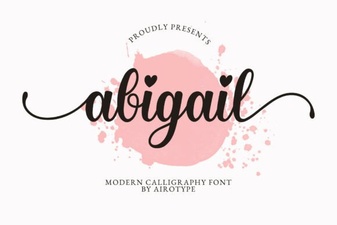 Abigail Font: Elegant Design for Creative Projects
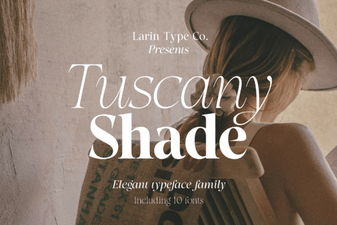 Tuscany Shade Font – Elegant Shaded Typography for Designers
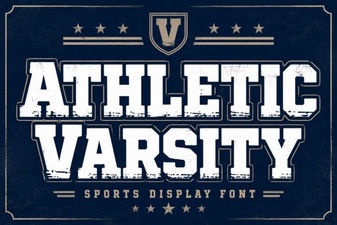 Athletic Varsity Font: Bold Designs for Sports and School Projects
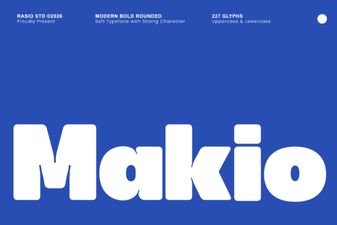 Makio Font: a Creative Typeface for Bold Design Projects
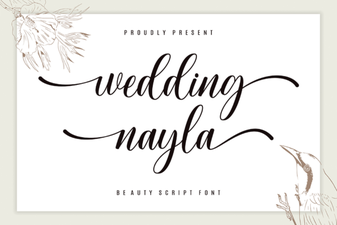 Beautiful Wedding Designs with Nayla Font